A graphical tool for viewing and editing metadata in PNG files.
| .gitignore | ||
| AppIcon.icns | ||
| AppIcon.ico | ||
| LICENSE | ||
| png-meta-editor.py | ||
| README.md | ||
| requirements.txt | ||
| screenshot.png | ||
| setup.py | ||
| version.txt | ||


PNG Metadata Editor v1.0.0
A graphical tool for viewing and editing metadata in PNG files.
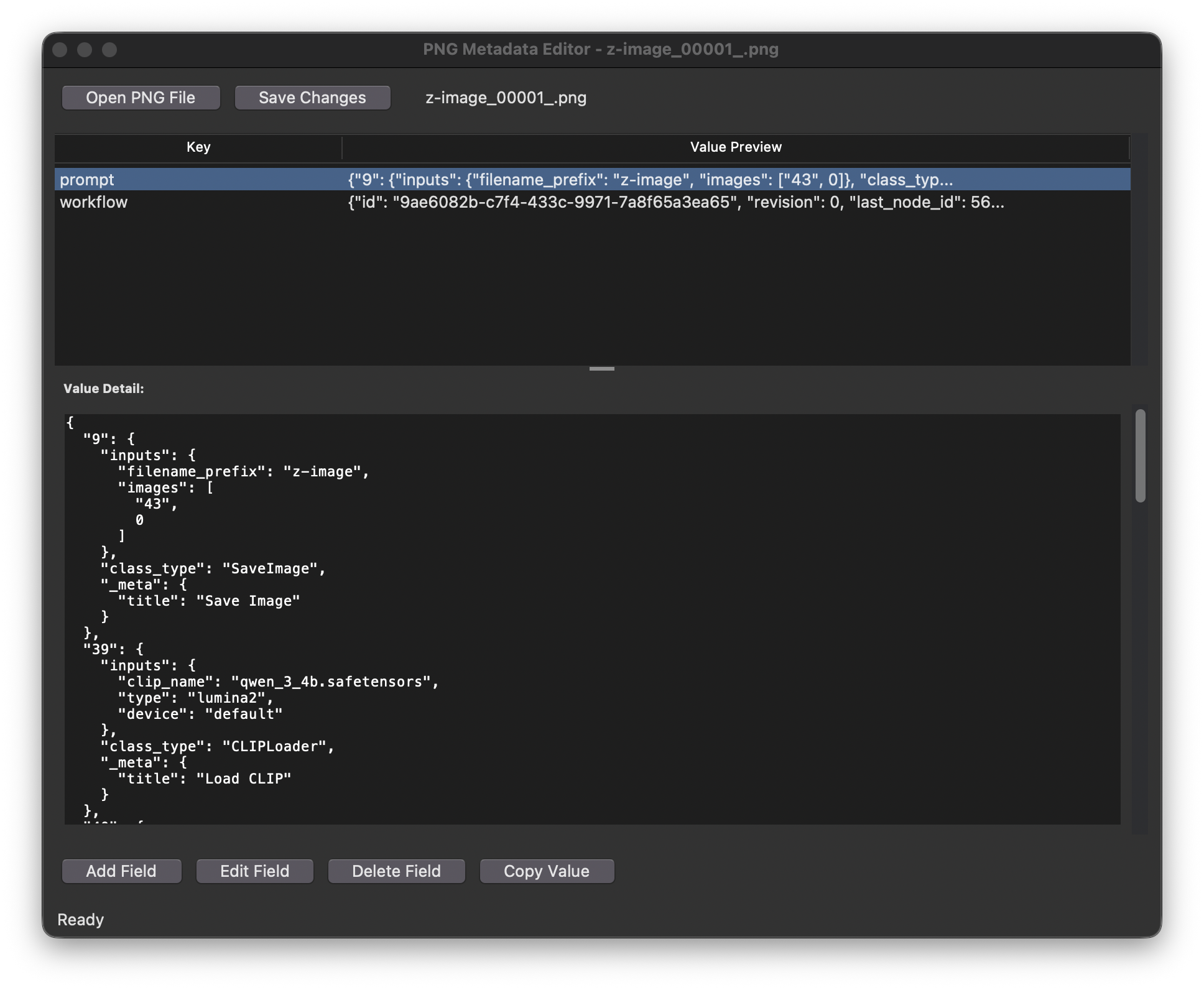
Features
- View all metadata fields (tEXt, zTXt, iTXt chunks) in PNG files
- Add, edit, and delete metadata fields
- Pretty-print JSON-formatted values
- Copy metadata values to clipboard
- Visual indication of unsaved changes
Installation
Prerequisites
- Python 3.6+
- Tkinter (usually included with Python)
Dependencies
Install required packages using pip:
pip install pillow pngmeta
Usage
-
Run the application:
python png-meta-editor.py -
Open a PNG file using the "Open PNG File" button
-
View metadata in the tree view on the left
-
Select a field to see its full value in the detail pane
-
Use the buttons to add, edit, or delete fields
Building for Distribution
Using build.py (Recommended)
-
First install the required build tools:
pip install pyinstaller -
Build the application for your platform:
python build.py -
The resulting executable will be in the
dist/directory
Manual PyInstaller Commands
Windows
pyinstaller --name="PNG Metadata Editor" \
            --windowed \
            --onefile \
            --icon=AppIcon.ico \
            --version-file version.txt \
            png-meta-editor.py
Mac OS
pyinstaller --name="PNG Metadata Editor" \
            --windowed \
            --onefile \
            --icon=AppIcon.icns \
            --version-file version.txt \
            png-meta-editor.py
Linux
pyinstaller --name="PNG Metadata Editor" \
            --windowed \
            --onefile \
            png-meta-editor.py
Required Files
For building, you'll need:
version.txt(for version information)AppIcon.ico(Windows icon)AppIcon.icns(Mac icon)requirements.txt(for dependencies)
License
This project is licensed under the MIT License - see LICENSE for details.
Author
Robert Tusa robert@tusa.at
Version History
- 1.0.0 (2026-01-05): Initial release